
Payment Recovery
How Arcalotl handles failed renewals, payment reminders, and role access during dunning.
When a renewal fails, Arcalotl starts payment recovery. In billing, this is also called dunning: a sequence of reminders that gives the member a clear way to update billing before role access is removed.
How it works
- Renewal fails. Arcalotl detects the failed payment immediately.
- Recovery starts. Arcalotl creates a dunning sequence for the subscription.
- Reminder sent. The member receives a DM with the payment recovery copy and a billing update link when one can be created. When Arcalotl has an email address for the member, the first reminder also goes out as a payment-failed email with an Update card button.
- Fallback used when available. On Discord and Fluxer, Arcalotl can create
a private
payment-helptext channel if the DM fails. - Retries continue in the background. The payment can also be retried automatically while the reminders run.
- Access changes after grace. If payment is still unresolved after the grace period, Arcalotl removes the subscription role.
Default timeline
| Day | Action |
|---|---|
| 0 | Renewal fails. First reminder sent with update link. |
| 2 | Second reminder sent if payment is still unresolved. |
| 4 | Third reminder sent if payment is still unresolved. |
| 6 | Fourth reminder sent if payment is still unresolved. |
| 7 | Role access is removed if payment is still unresolved. |
When a member updates their payment method and the charge succeeds, their role is restored automatically. No manual intervention is needed.
What members see
Payment recovery messages are sent privately. They include the affected server, plan, and role when those details are available. Discord displays a link button; Fluxer displays a clear browser link in the DM.
If Arcalotl cannot create a billing update link, the footer tells the member to use /manage in the server instead.
Payment recovery message copy
This is the exact member-facing copy Arcalotl sends during payment recovery.
| Attempt | Title | Body | Footer when the payment link is available |
|---|---|---|---|
| 1 | Payment update needed | Your recent renewal did not go through. Update your payment method to keep your subscription active. | Use the button below to update your payment method. |
| 2 | Subscription still needs attention | The renewal still has not gone through. Your role stays active during the grace period, but access will pause if the payment method is not updated. | Use the button below to update your payment method. |
| 3+ | Access pauses soon | This subscription still needs a payment update. Access will pause after the grace period until the payment is resolved. | Use the button below to update your payment method. |
Fallback footer when no payment link is available:
Use /manage in the server to update your payment method.Button label when a payment link is available:
Update Payment MethodRecovery confirmation:
Payment updated

Your renewal has been processed. Your subscription is active again.
Message sent if recovery is exhausted:
Subscription ended

We could not complete the renewal after several attempts, so this subscription has ended. You can subscribe again from the server if you want access back.
Private-channel fallback
Arcalotl tries to send the recovery message by DM first. If that DM fails, Arcalotl creates a private text channel named payment-help in the server and sends the same recovery message there.
The fallback channel is hidden from @everyone. The target member and the bot can view the channel and send messages. If a billing update link is available, the private channel message keeps the same Update Payment Method button.
Once a fallback channel exists for a recovery sequence, later attempts for that sequence go to the same channel instead of trying a new DM. Arcalotl deletes the temporary channel when the payment is recovered or when the recovery sequence is exhausted.
Fees
Recovered renewals use the same 2% transaction fee as every other successful payment.
Configuration
Payment recovery is enabled by default when setup is complete.
| Setting | Default | Description |
|---|---|---|
| Max attempts | 4 | Total recovery reminders before exhaustion |
| Retry interval | 48 hours | Time between recovery reminders |
| Grace period | 7 days | Role access stays active during this window |
| Channel fallback | Enabled | Create a private payment-help channel if DMs are closed |
Adjust these from the dashboard under Retention, then Recovery, which also shows failed-payment attempts, recovered payments, recovery rate, and recovered revenue. The full defaults table lives in the Settings Reference.
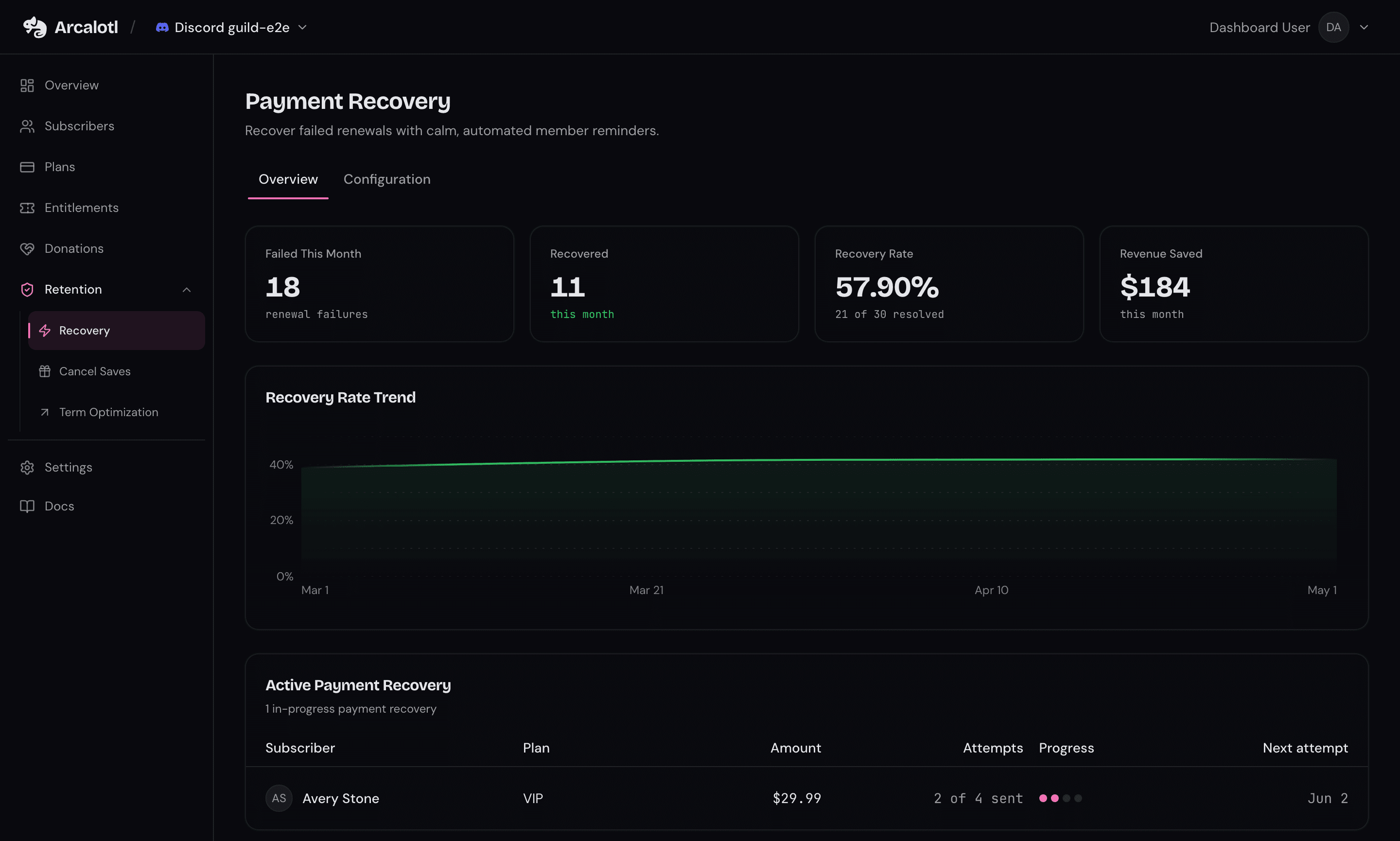
The default timing is designed for community subscriptions: calm reminders, a clear update link, and a grace period before access is removed.