
Dashboard Overview
Revenue, subscriber, retention, and activity metrics for your community.
The dashboard overview is the operating snapshot for one community. Sign in with Discord, Fluxer, Google, or Telegram, choose the community, and the overview shows how the subscription business is doing right now.
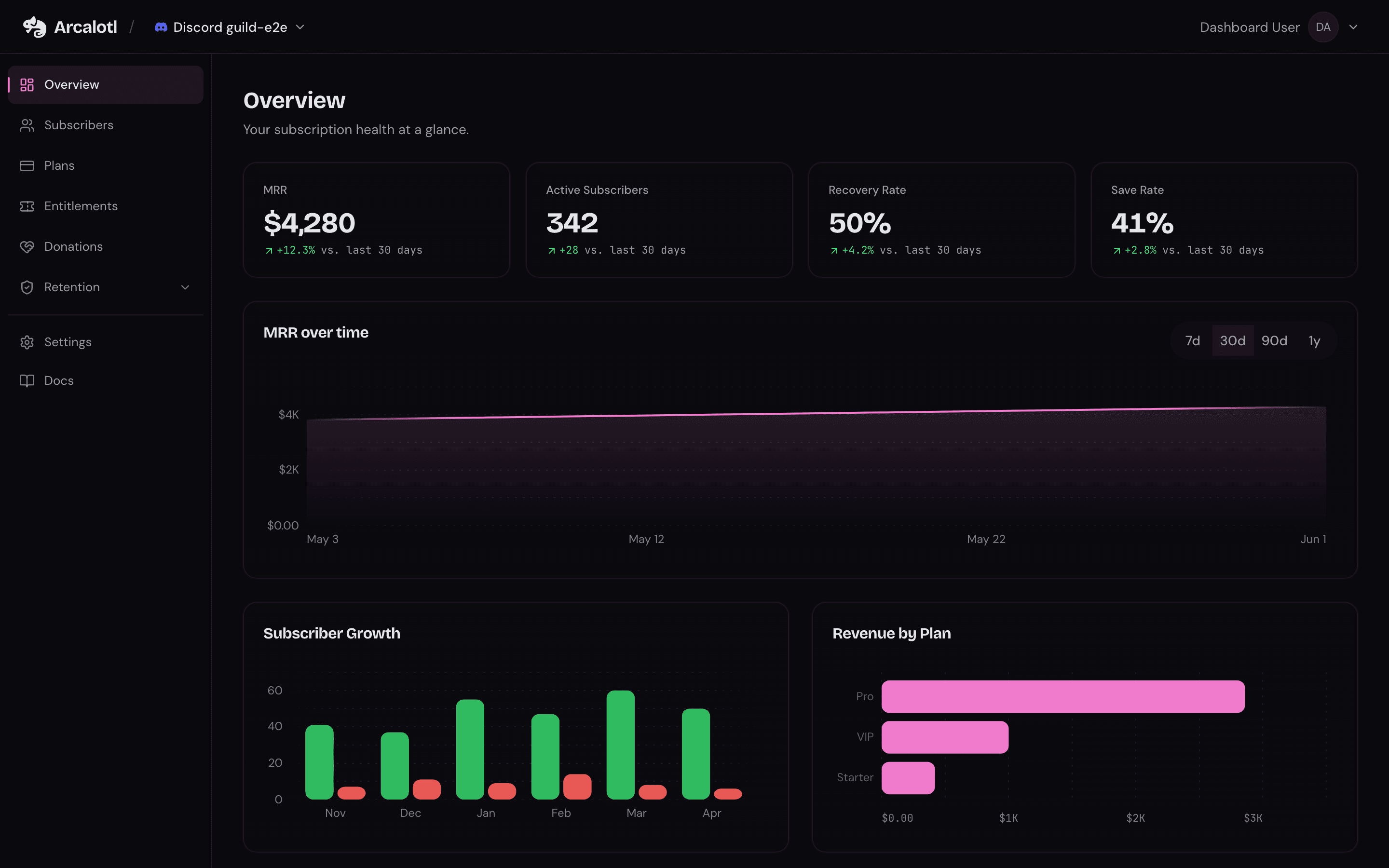
Key metrics
| Metric | Description |
|---|---|
| MRR | Monthly recurring revenue for active subscriptions |
| Active subscribers | Members with an active paid subscription |
| Recovery rate | Share of failed-payment recovery attempts that succeeded |
| Save rate | Share of cancellation-save attempts that kept the subscription |
The overview also charts subscriber movement, plan performance, and usage so revenue, growth, and Arcalotl fees are visible in one place. Data updates in near real time from payment events, platform interactions, and analytics rollups.
Activity feed
The activity feed is the chronological history of the community: new subscriptions, renewals, failed and recovered payments, saves, upgrades, and admin actions.
Each activity item includes the event type, when it occurred, the member or subscription involved, and the amount when relevant. Items are color-coded: recovered payments and upgrades read as positive, failed payments as negative, saved cancellations as warnings.
Use the feed to answer practical support questions:
- Did the payment go through?
- Did Arcalotl record the subscription change?
- Did a recovery, save, or annual upgrade happen?
- Which member or subscription was involved?
The feed is paginated, 25 events per page, so older history stays reachable.
Retention metrics
The Retention section of the dashboard has a page per workflow, each combining its settings with its results:
- Recovery: failed-payment attempts, recovered payments, recovery rate, and recovered revenue.
- Cancel Saves: save attempts, saves by reason, save rate, and saved revenue.
- Term Optimization: annual offers sent, accepted, and converted.
See Payment Recovery, Cancel Saves, and Term Optimization for how each workflow behaves.
Access
Dashboard access follows your linked identity and permissions on a connected platform. Admins can manage plans and settings; view-only roles can review metrics without changing configuration.