
Connected Platforms
Link more servers and platforms to one community so a single purchase benefits access everywhere.
An Arcalotl community is the thing you monetize: its plans, subscribers, and billing history. A community can have more than one connected platform, such as a second Discord server, a Telegram group, or a Stoat or Fluxer server. Plans and subscriptions belong to the community, so one purchase can benefit access on every connected platform.
Supported platforms:
| Platform | Status |
|---|---|
| Discord | Live. Setup, commands, checkout, and entitlements. |
| Fluxer | Live. Setup, typed commands, checkout, and entitlements. |
| Telegram | Live. Setup, bot commands, checkout, and chat membership. |
| Stoat | Live. Paid roles, subscriptions, purchases, and donations. |
Connect a platform from the dashboard
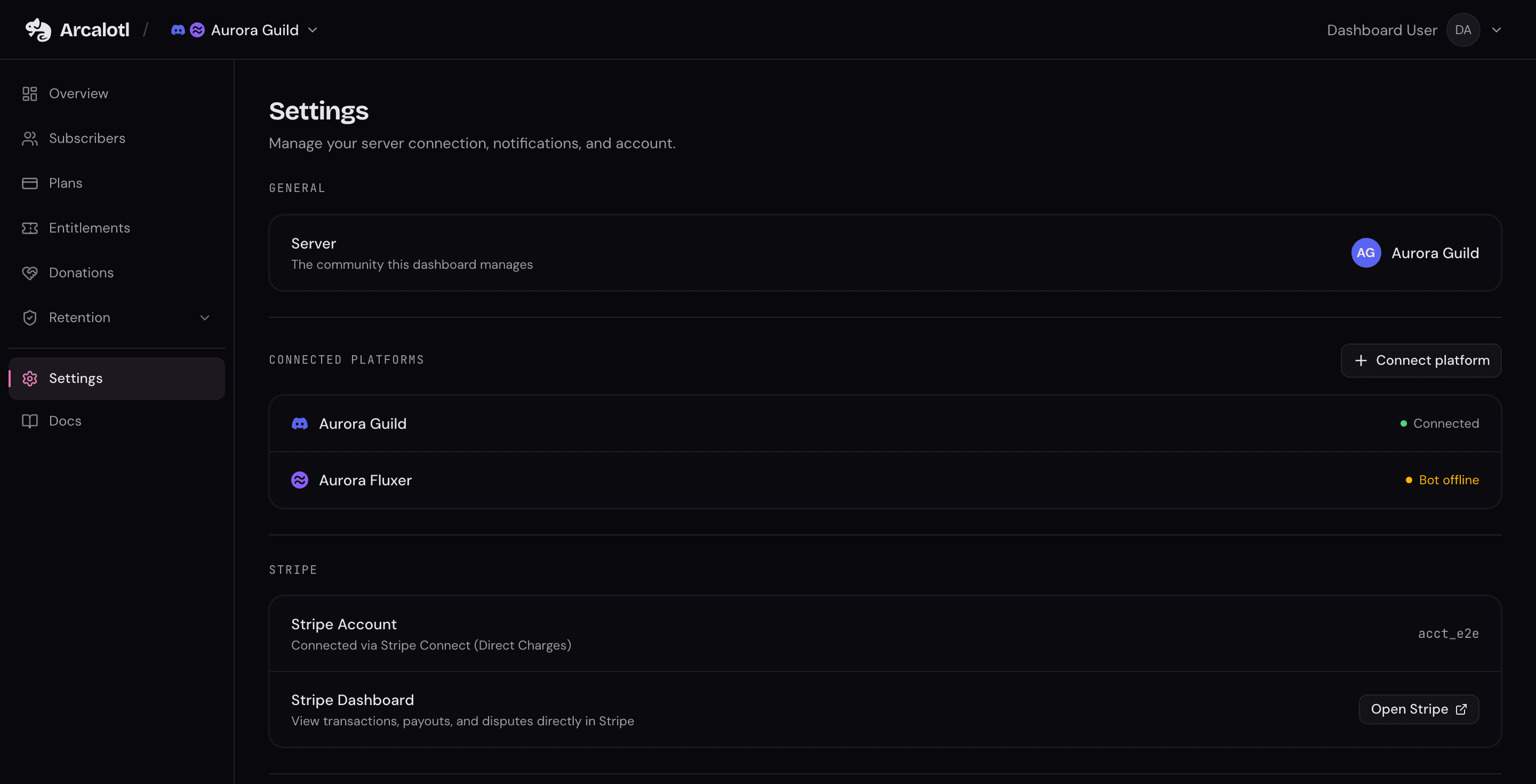
- Open Settings in the dashboard and find Connected Platforms.
- Select Connect platform and pick the platform to link.
- Select Generate setup code. Arcalotl shows a one-time code and the exact command to run.
- Run that command in the server you want to link. The dialog updates automatically once the server is connected. Telegram is the exception: add @ArcalotlBot to the chat as an administrator first, then send the command to the bot in its private chat and pick the chat from the list.
Setup codes are one-time and expire after a few minutes. If a code expires, close the dialog and generate a new one.
Every platform redeems the code through its setup command:
/arcalotl setup code:YOUR-CODE   (Discord)
/arcalotl setup YOUR-CODE        (Fluxer)
/setup YOUR-CODE                 (Telegram, in the bot's private chat)
!arcalotl setup YOUR-CODE          (Stoat)
The person redeeming the code needs Manage Server permission in the server being linked. Fluxer uses its equivalent server-management permission, and Telegram requires that you administer the chat. See Telegram Setup for the admin rights the bot needs.
After a new platform is linked, map your entitlements to it so buyers receive roles there too. The connect dialog links straight to the Entitlements page when an entitlement does not cover the new platform yet.
Disconnect a platform
Each connected server row in Settings, then Connected Platforms has a disconnect action. Members on that server stop receiving roles from the community; entitlement benefits that pointed at it are kept and apply again if the server reconnects. The last remaining platform cannot be disconnected.
Members: link accounts across platforms
Benefits require a platform identity. A member who bought access on Discord must link their Stoat account before Arcalotl can apply their Stoat roles.
Members run the link command bare on the platform where they already have access, then redeem the code from their account on the platform they want to link:
/link                       (generate, Discord, Fluxer, Telegram, and Stoat)
!arcalotl link                (generate, Stoat)

/link code:YOUR-CODE        (redeem, Discord)
/link YOUR-CODE             (redeem, Fluxer and Telegram)
!arcalotl link YOUR-CODE      (redeem, Stoat)
On Telegram, both forms run in the bot's private chat.
Linking works in either direction. If both accounts already belong to a member, Arcalotl merges them automatically as long as at most one side has purchase history.
Once linked, Arcalotl applies the relevant benefits for entitlements the member already holds. Members who have not linked yet are counted in the dashboard's entitlement impact preview as "will get access when they link".
What stays shared
Across all connected platforms of one community:
- Plans and pricing: One catalog. There is no per-platform pricing.
- Subscriptions and purchases: One billing record per member.
- Entitlements: One entitlement can contain benefits for several platforms.
- Dashboard: One overview, subscriber list, and activity feed.
Platform health is shown per connected server in Settings: a connected server with the bot present shows Connected, and a server where the bot is missing or offline shows Bot offline.
Platform UX differences
Plans, billing state, entitlements, and dashboard reporting are shared. The chat clients do not expose identical interaction primitives:
| Capability | Discord | Fluxer | Telegram |
|---|---|---|---|
| Commands | Registered slash commands with autocomplete | Typed / messages; no Arcalotl autocomplete | Registered bot commands, mostly in private chat |
| Private responses | Ephemeral replies and DMs | DMs; no ephemeral bot replies | The private chat with the bot |
| Checkout | Browser | Browser | Browser |
| Subscription management | Interactive controls and the member portal | Member portal in the browser | Bot buttons and the member portal |
| Access grant | Roles | Roles | Membership of the connected chat |
See Fluxer Setup and Telegram Setup for the complete production behavior.