
Receipt Emails
The receipt Arcalotl emails a member after every successful payment, when it goes out, what it says, and how it looks.
Arcalotl emails a receipt to the member after every successful payment: the first charge of a subscription, every renewal, and every one-time purchase. The receipt names you as the seller, spells out the statement descriptor the member will see on their bank statement, and carries a Manage membership button into the member portal.
The receipt is separate from the bot's messages. The bot confirms access in the member's DMs; the receipt documents the payment for their records.
When a receipt goes out
| Payment | Receipt |
|---|---|
| First subscription payment | Sent when the payment is confirmed |
| Renewal | Sent for every paid renewal, one per invoice |
| One-time purchase | Sent when the checkout is paid, including delayed payment methods |
| Trial start | Nothing is charged, so no receipt; the first one arrives on conversion |
| Fully discounted or zero-amount | No receipt |
| Failed renewal | No receipt; see the payment-failed email |
Each payment produces exactly one receipt, even when the payment confirmation reaches Arcalotl more than once.
The receipt goes to the address the member typed at checkout. For a renewal, that is the address on the invoice, or the most recent address Arcalotl has for the member when the invoice carries none. A member with no email address on file gets no receipt; their access and bot messages are unaffected.
What the receipt says
The subject is Your <community> payment, <amount>, for example
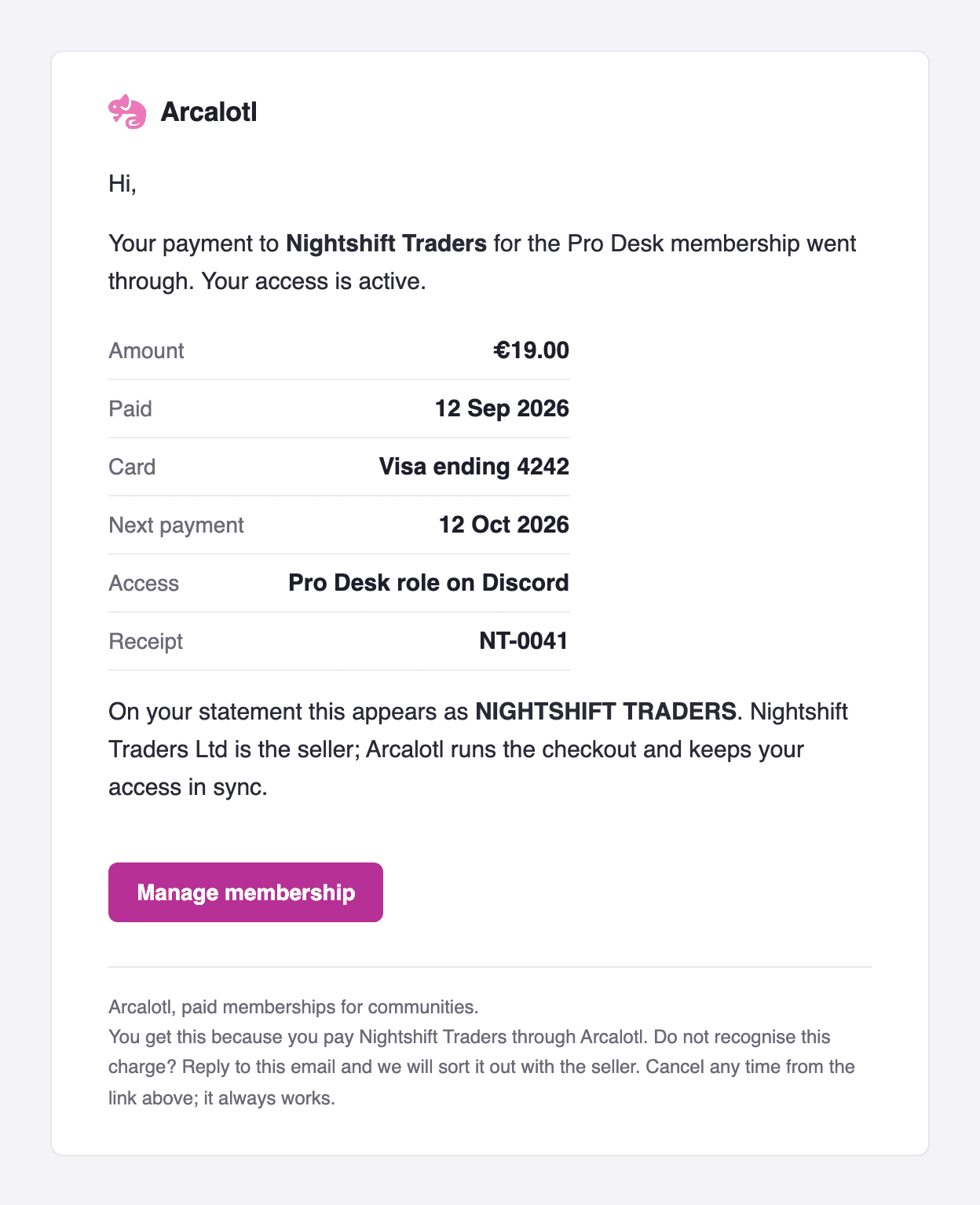
Your Nightshift Traders payment, €19.00.
The body has, in order:
- Greeting and confirmation. "Hi," followed by one sentence naming your community and the plan, and "Your access is active." The greeting has no name because the receipt is keyed on an email address, not a profile.
- Payment details. A table with the rows below. Rows without a value are left out.
- Seller line. "On your statement this appears as
DESCRIPTOR.Selleris the seller; Arcalotl runs the checkout and keeps your access in sync." - Manage membership. A button that opens the member portal already signed in for this membership. The link works for 72 hours; after that it lands on the portal sign-in instead.
- Footer. Why the member is getting the email, an invitation to reply if they do not recognise the charge, and a reminder that cancelling always works from the link above.
| Row | Value | Shown |
|---|---|---|
| Amount | The amount charged, in the plan's currency | Always |
| Paid | Payment date, for example 12 Sep 2026 | Always |
| Card | Brand and last four digits, for example Visa ending 4242 | When a card is on file |
| Next payment | Date of the next renewal | Subscriptions |
| Access | The first benefit the plan grants, for example Pro role on Discord | When the plan has a benefit |
| Receipt | The invoice number from your payment account | Subscriptions |
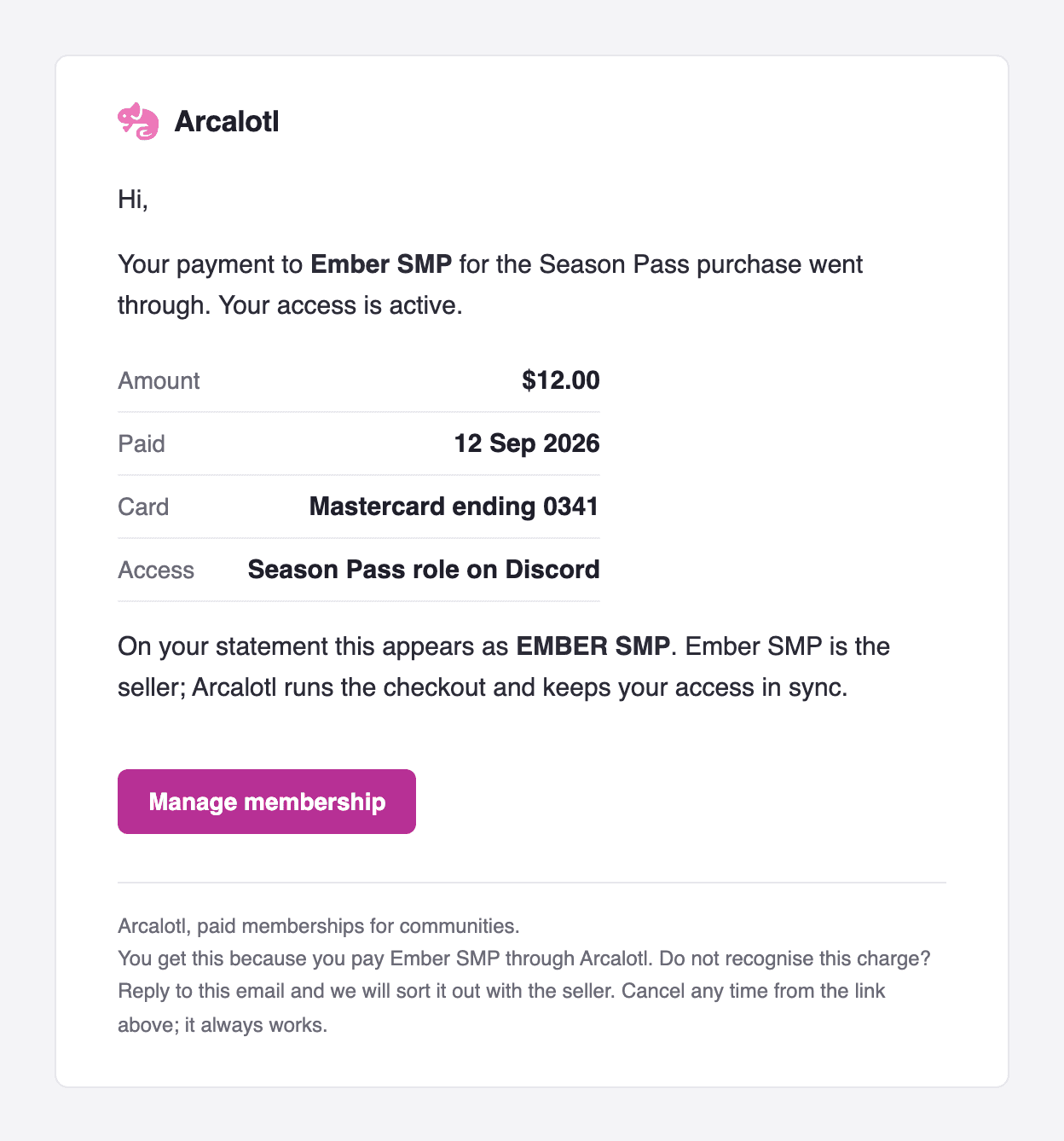
Amounts use the currency symbol for USD, EUR and GBP ($12.00, €19.00,
£5.00) and the currency code for everything else (SEK 399.00).
The seller name and statement descriptor come from the public business details on your connected Stripe account. When those are empty, the receipt uses your community name for both. Fill them in before your first sale: the descriptor is what the member compares against their bank statement, and a descriptor they recognise is what keeps them from disputing the charge.
Every receipt also ships a plain-text version with the same content for mail clients that do not render HTML.
One-time purchases
A receipt for a one-time purchase says "purchase" instead of "membership" and has no Next payment or Receipt row. The Manage membership button still opens the portal, where the purchase shows in the payment history with its access window.
Sender and replies
Receipts are sent from Arcalotl's own address, not from yours. Replies go to Arcalotl support, which contacts you when a member asks about a charge. Members cannot opt out of receipts and there is no unsubscribe link: a receipt is transactional, and one goes out per payment and never otherwise.
Stripe can also email its own receipt for successful payments on your account. Keep that setting off under your Stripe account's customer emails, or members receive two receipts for every payment.
Payment-failed email
When a renewal is declined, the member gets an email alongside the first payment recovery message from the bot. It names the amount and plan, says how long access stays while Arcalotl retries, when the next retry is, and has an Update card button that opens the card form in the member portal. Later reminders in the same recovery sequence come from the bot only.
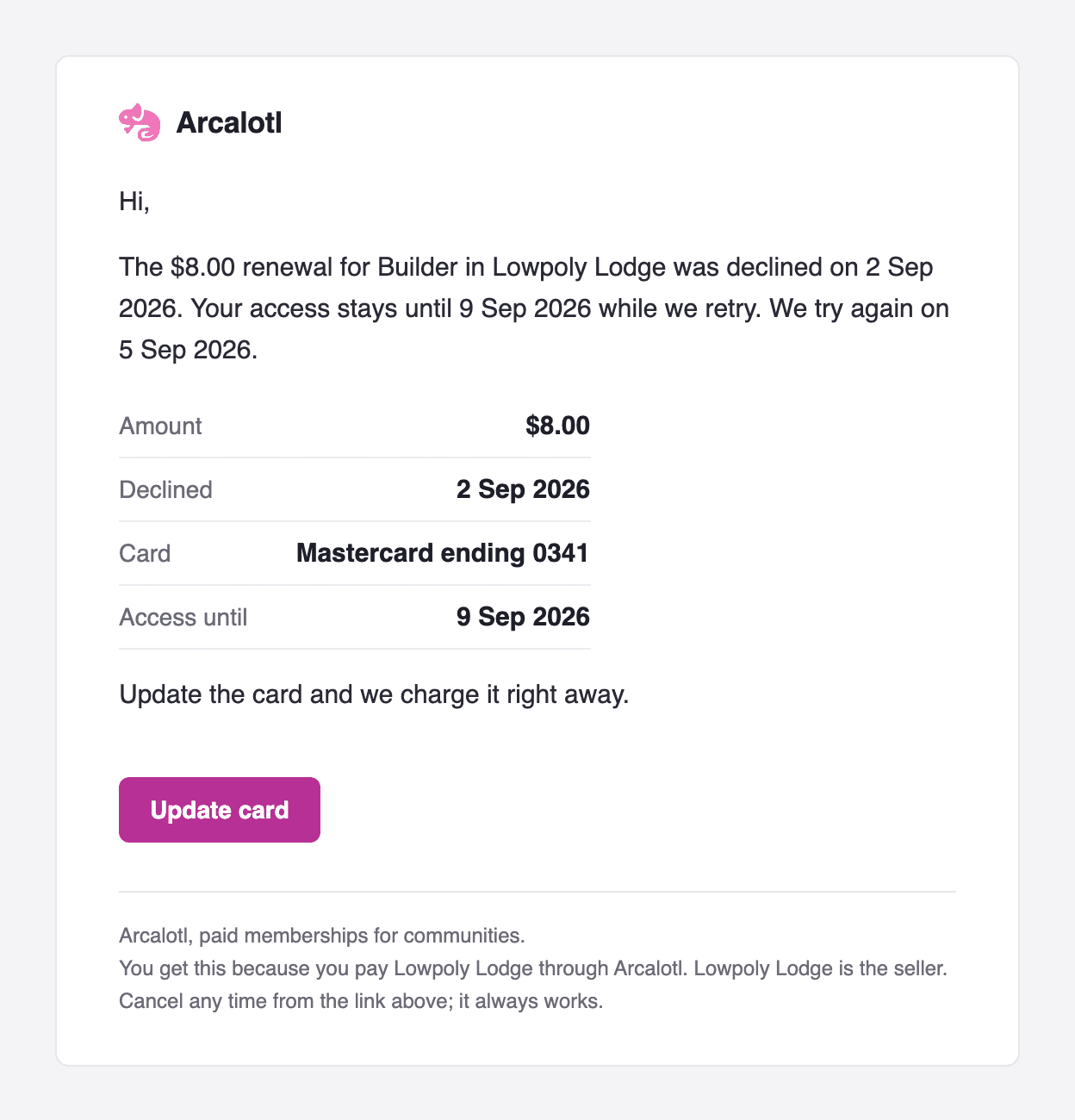
The same rules apply: one email per recovery sequence, to the address on file, only when Arcalotl has one.