
Subscribers
Find members, inspect subscriptions, cancel at period end, and refund recent payments.
The Subscribers view shows the members Arcalotl knows about for a community. It is built for support work: finding a member, checking their status, and understanding which plan and billing interval they are on.
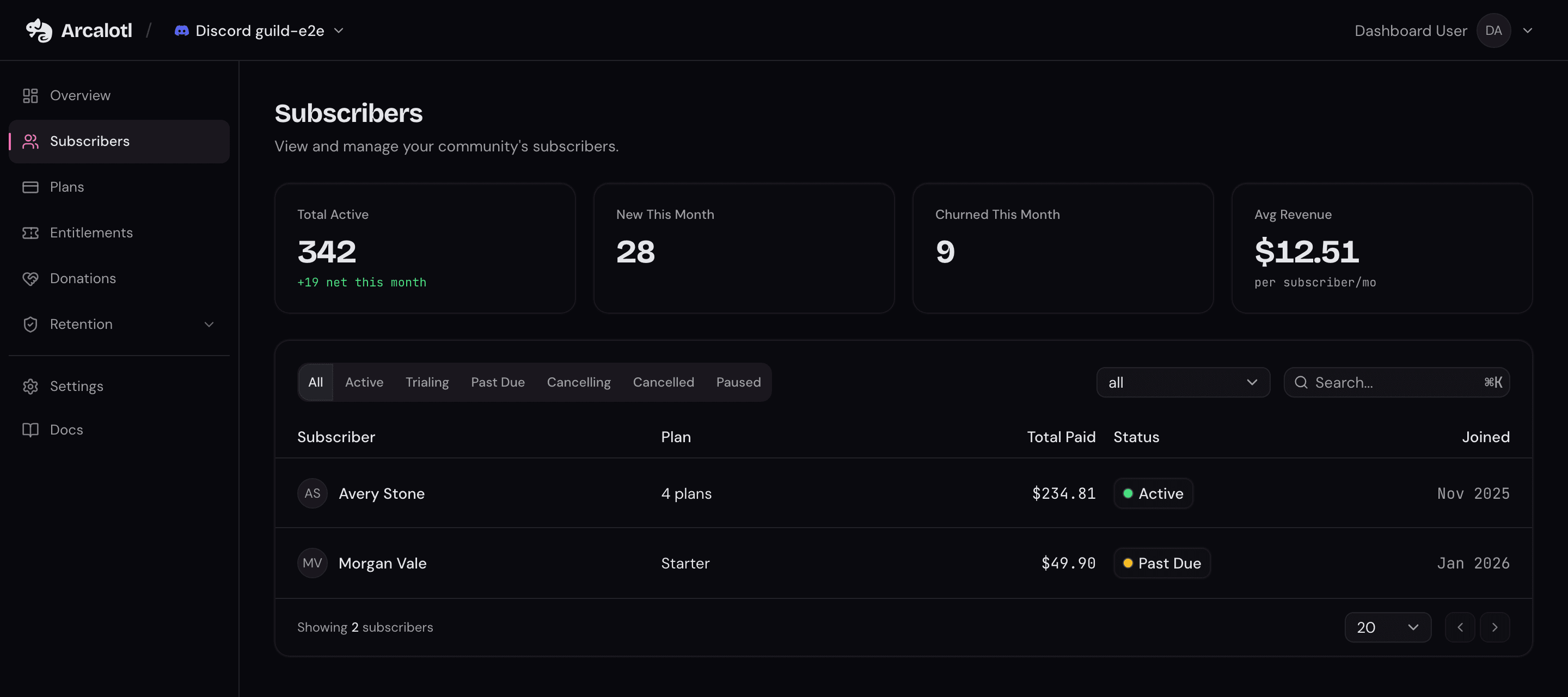
Subscriber list
Each subscriber row can include:
- Display name and platform user ID
- Plan name and billing interval
- Subscription status
- Join date and current period end
- Total paid and last payment date
- Payment customer references when available
You can filter by subscription status, filter by plan, search by member, and page through long lists. See Subscription Lifecycle for what each status means.
Subscriber details
Click a subscriber row to open the detail pane. Each row represents one member, and the detail pane shows that member's subscriptions. If a filter matched one subscription, the pane still shows the member's other subscriptions when they are part of the same member record.
The detail pane can include:
- Member platform and join date
- Total paid and last payment date
- Payment customer references when available
- Each subscription's plan name, amount, currency, billing interval, status, renewal date or access-until date, last payment date, and total paid
Admin actions
The detail pane includes subscription actions for support staff.
Cancel at period end
Use Cancel at period end when a member should keep access until the end of the current billing period and should not renew.
Arcalotl schedules the cancellation, marks the subscription as cancelling,
and keeps access in place until the period ends. Once the subscription ends,
Arcalotl moves it to cancelled and removes access.
This is a direct admin action. It does not run the member /cancel reason
survey or cancel-save offer flow.
Refund and cancel
Use Refund and cancel when support needs to fully refund the latest recorded charge for a subscription and end access.
Arcalotl issues a full refund for the latest recorded charge. Once the refund succeeds, Arcalotl cancels the subscription immediately and revokes access. If the refund is still pending, Arcalotl waits for it to settle before finishing the cancellation.
The action is available only when the subscription can still be cancelled and Arcalotl has a recorded paid amount for it. Use your Stripe dashboard for partial refunds, older charges, or cases where no refundable charge is recorded.
Member self-service
Most billing questions never need an admin. Members can manage their own subscriptions from the platform:
/subscribe: Browse plans and start checkout./manage: View subscription status, change same-tier billing options, upgrade or downgrade related tiers, and open the member portal to update the card, read invoices, and manage every membership in a browser./cancel: Start cancellation and any configured save flow.
Because payment methods are updated through Stripe's secure card form inside the member portal, staff never handle card data.