
Entitlements
Define stable logical access, configure platform benefits, and attach entitlements to plans and donations.
An entitlement is logical access a buyer holds, such as VIP access or
Supporter access. Define it once, then attach plans and donations to it.
Each entitlement has:
- a stable external key for API and webhook consumers;
- a name and optional description for operators;
- zero or more benefits, such as a Discord role, Fluxer role, membership of a Telegram chat, or a Hytale server package;
- the plan tiers that currently provide it.
The member-entitlement ledger is authoritative. Platform benefits are actions Arcalotl performs from that state; a temporary platform API failure does not change whether the member logically holds the entitlement.
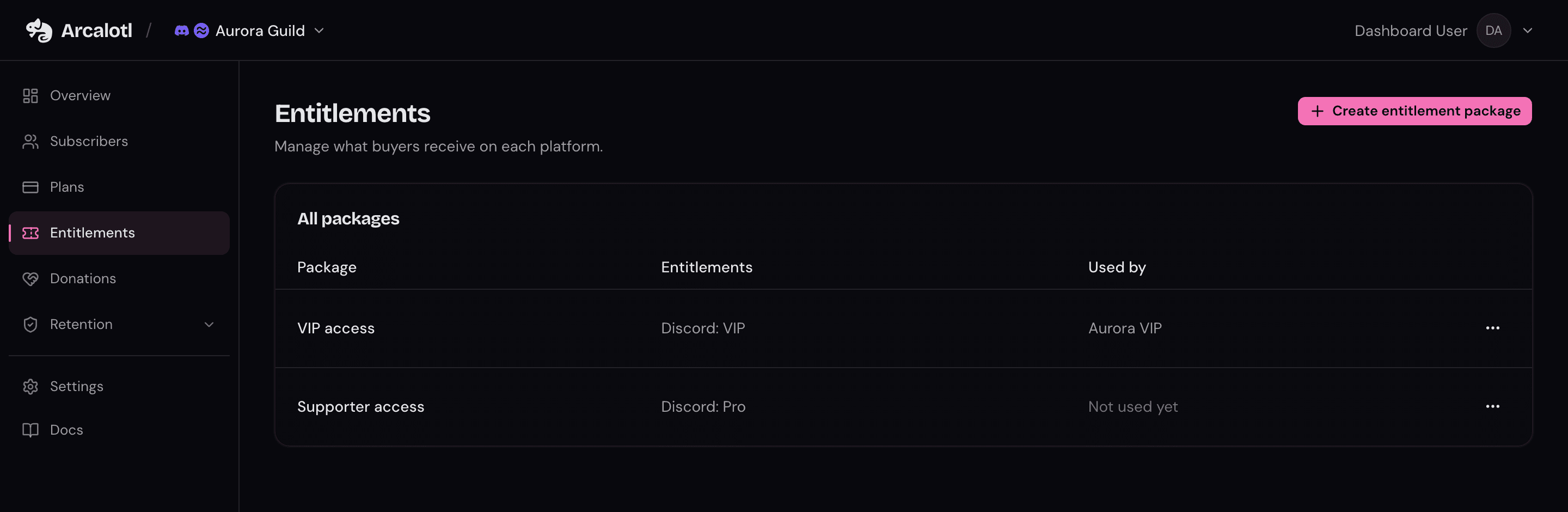
Create an entitlement
- Open Entitlements in the dashboard.
- Select Create entitlement.
- Enter a name, such as
VIP access. - Optionally customize the stable external key.
- Add the benefits Arcalotl should apply on each connected platform.
- Save the entitlement.
Role selectors show the roles the bot can see on each connected server. If a platform cannot enumerate roles, enter the role ID. For game platforms, first create a server package under Game Servers, then select it as a benefit.
On role-based platforms, keep the Arcalotl bot role above every role it must apply or remove.
Attach an entitlement
The plan and donation editors include an Entitlement field. Select one entitlement or No entitlement when a tier should provide no logical access. The field previews its platform benefits.
When payment activates a subscription or purchase, the member entitlement becomes active and Arcalotl reconciles its benefits. When the final active billing source ends, the entitlement is revoked and its benefits are removed. Several sources can support the same entitlement, so ending one source does not revoke access while another remains active.
Plans created from a platform command can still select one role. Arcalotl stores that role as a benefit on the tier's entitlement. Use the dashboard to add more benefits or span several connected platforms.
Edit an entitlement
Editing an entitlement changes the definition for current members and future buyers. Before saving a change that affects active members, the dashboard shows:
- benefits being added or removed;
- active subscribers and purchasers affected;
- members missing an identity on a newly affected platform.
Confirming publishes durable reconciliation work. Members with a linked identity converge immediately; members without one converge after they link.
Removing a benefit removes that platform action from current members unless another active entitlement still requires the same action. Changing benefits does not revoke the logical entitlement itself: active members receive an updated entitlement revision.
Archive an entitlement
Archive entitlements you no longer sell. An entitlement attached to a plan or donation cannot be archived; detach it first. Existing effective ledger history remains available for audit and webhook ordering.
Connect another platform
Existing entitlements do nothing on a newly connected platform until you add a benefit for it. Add the relevant role, channel membership, permission group, or server package to each entitlement that should span the new platform. Members with linked identities then converge automatically.
External applications
An operator-controlled application usually enforces the logical entitlement
directly instead of configuring a platform benefit. Use the stable entitlement
key from member.entitlement.granted, .updated, and .revoked, and process
events by increasing revision.
Follow the External entitlements guide for checkout identity mapping, webhook ordering, reconciliation, and link-code UX.