Storefronts: a public page for your community
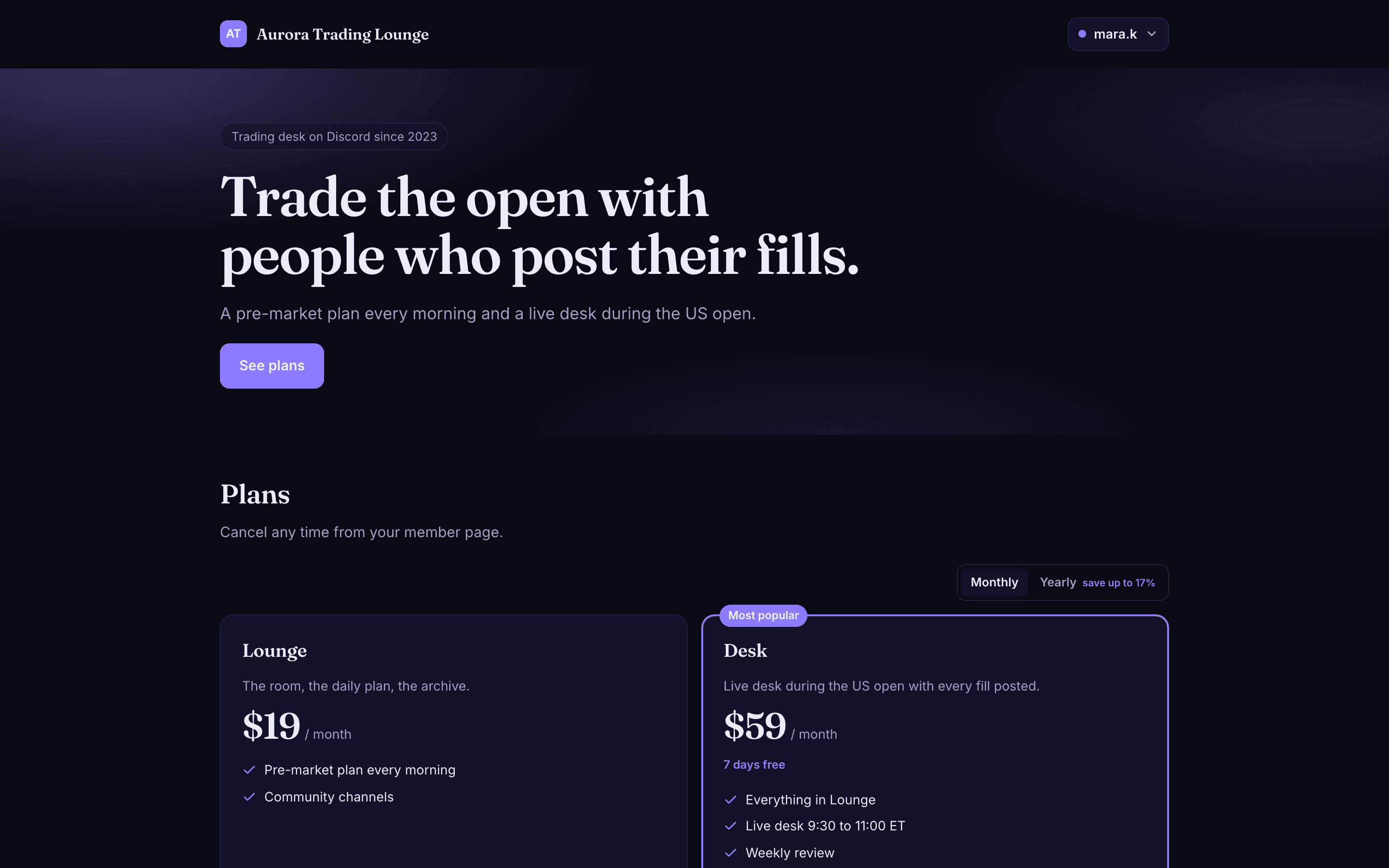
Every community on Arcalotl can now publish a page of its own at arcalotl.com/s/your-link: plans, one-time products and donations on one link, in a look you pick and adjust in the dashboard. Members sign in, pay and get their role the same way they always did.
Published
A bot is a fine place to buy from once you are inside the server. It is a poor place to send someone who is not a member yet. There is nothing to link to from a bio, a stream overlay or a server list; nothing that shows what a rank includes before someone joins; nothing a search engine can find. Creators have been answering that with a Linktree, a Google Doc or a store on another product with its own fees and its own look.
The storefront is that page, built into the same account that runs your plans and your bot. Nothing is duplicated: the prices come from your plans, checkout is the one you already use, and the role or entitlement lands through the same delivery.
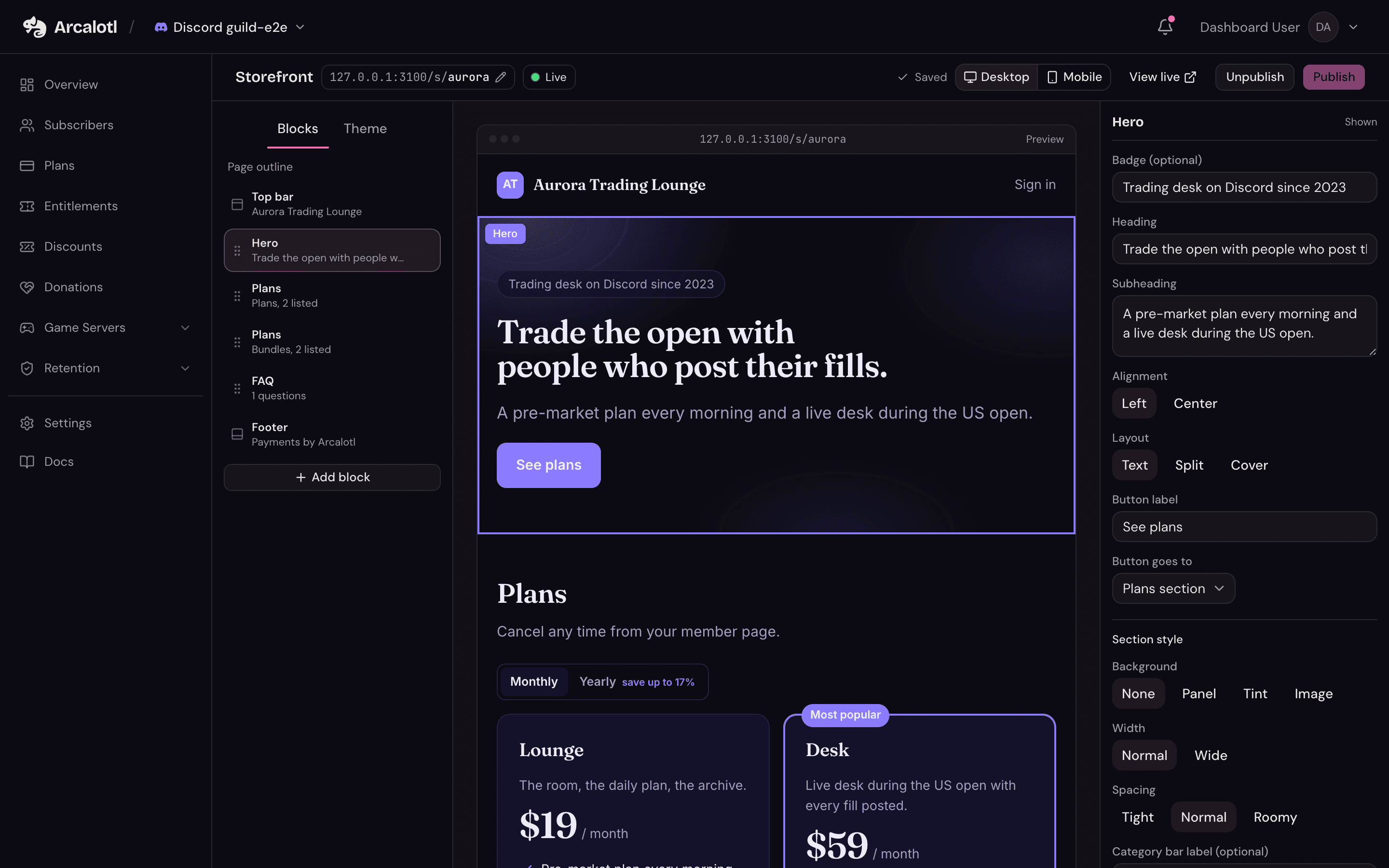
Built in the dashboard, block by block
The builder shows a page outline on the left, a live preview of the real page in the middle and the selected block's settings on the right. A page is a list of blocks: a hero, plan grids by category, text beside an image or a video, a gallery, a countdown, features, stats, quotes, an FAQ, a server address, a call to action, socials. Every block takes a section style, and the top bar and footer are editable too.
There is no custom CSS. Fourteen curated palettes, seven type pairings and a corner radius cover the range, and every combination passes contrast checks, so the page looks designed on the first publish.
Twelve templates, including two for game servers
Start from Midnight, Paper, Neon or Minimal for creator and product communities; Aurora for streamers, Atelier for art and writing, Mono for developers, Tropic for fitness and lifestyle; Arcalotl if you want the store to match the dashboard. Minecraft and Hytale come with ranks, crate keys, kits, a server address block, a pixel display face and a built-in library of official Minecraft and Hytale art, so a server store looks finished before you upload a single screenshot.
Applying a template keeps your plans and spreads them across its grids. Everything on it is yours to change afterwards.


Members sign in once, everywhere
Join opens a sheet that asks the visitor to sign in with one of the community's platforms, using the same account they use for the member portal. Checkout is the one your bot uses, the purchase carries the same attribution, and access is delivered by the same path. A signed-in member sees their name in the top bar with a link to manage their membership.
In Discord, Fluxer and Stoat, /arcalotl storefront gives an admin the live link; in Discord it can also post a card with the top plans into the channel, so the store is one click away for members who never leave chat.
Pricing
The storefront is part of every plan, at the same flat fee per payment. Image uploads and templates are included. Custom domains are next.
Publish yours
Open Storefront in your server's navigation, pick a template, publish. The docs cover every block and setting.